You paid hundreds of dollars for your Nuance PowerMic 4. You don't have to throw it away just because Dragon Medical One has stopped innovating. Keep the hardware. Replace the software. WhisperTyping Medical recognises your PowerMic 4's Record button natively, switches to its built-in microphone automatically, and transcribes with a modern AI speech engine that leaves Dragon behind. Plug it in, press Record, and start dictating.
Request a Free Trial
30-day WhisperTyping Medical trial, personal setup included
Download WhisperTyping
Install on Windows and start with the free tier
Plug and Play With Your PowerMic 4
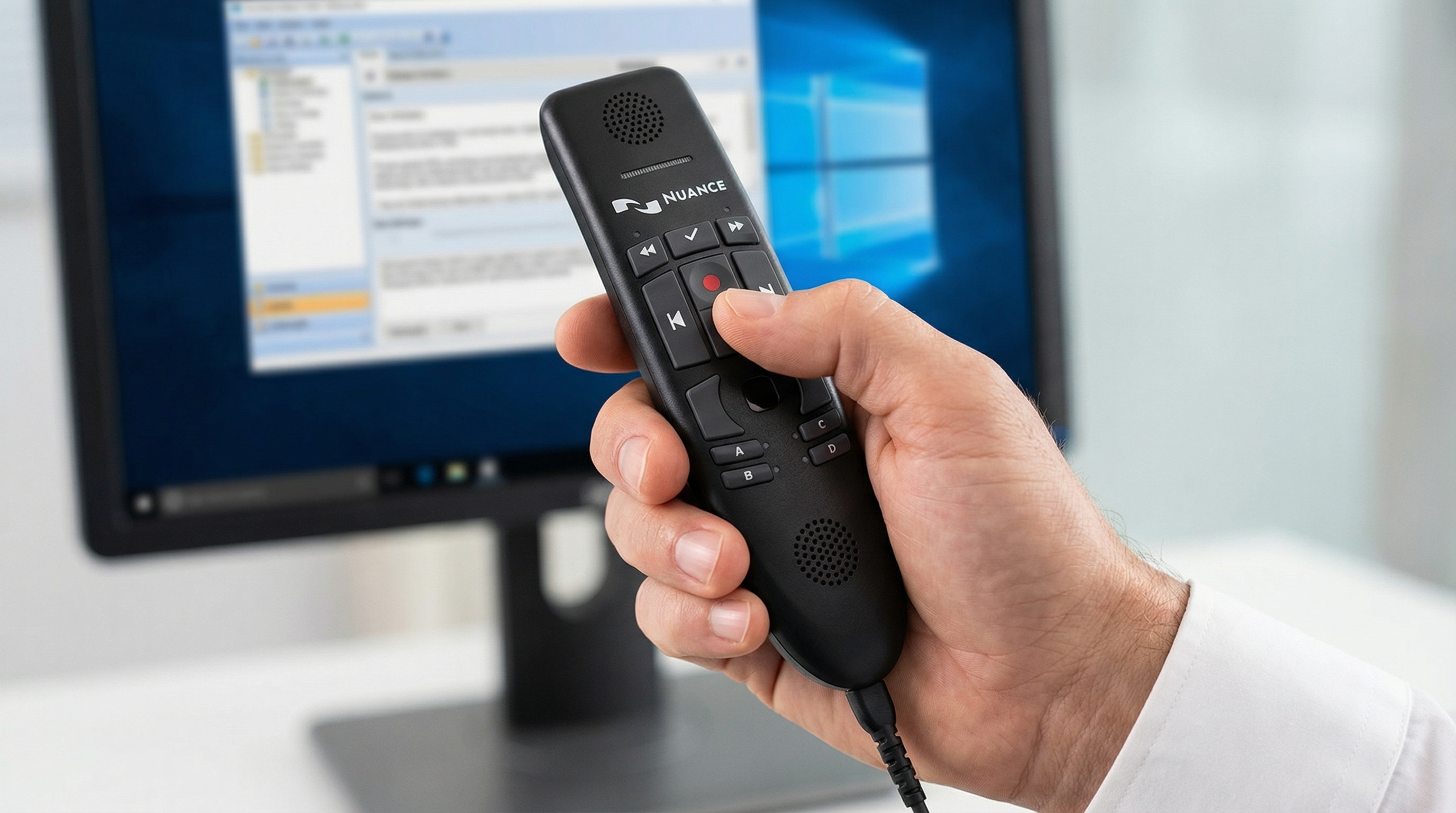
WhisperTyping Medical is the first modern AI dictation software to natively support the Nuance PowerMic 4 outside of Nuance's own ecosystem. No device drivers, no configuration utilities, no Citrix channels, no account provisioning with your IT department. Plug your PowerMic 4 into any USB port on your Windows PC and WhisperTyping will:
- Detect the Record button automatically and start dictation the moment you press it
- Switch the active recording input to the PowerMic's built-in microphone for the duration of the dictation, then switch back
- Support both press-and-hold and press-to-toggle recording styles - WhisperTyping figures out which one you're using
- Release the device cleanly when you unplug it, so other software is unaffected
- Work in every Windows application you use: Epic, Cerner, Meditech, Athenahealth, Microsoft Word, Outlook, Teams, any EHR, any browser
Everything else on your PowerMic 4 - mouse pointer, keyboard interface, system shortcut keys - continues to work exactly as it does today. WhisperTyping Medical only intercepts the Record button.
Why WhisperTyping Medical For PowerMic 4 Users
Nuance's PowerMic line has been discontinued. Microsoft (who now owns Nuance) is pointing everyone at the Philips SpeechMike as the replacement, which means another hardware purchase on top of the Dragon Medical One licence you're already paying for every year. The PowerMic 4 you already own is more than capable. What needs replacing is the software behind it.
| Dragon Medical One | WhisperTyping Medical | |
|---|---|---|
| Speech engine | Classical acoustic models, limited recent progress | State-of-the-art AI, continuously improving |
| Voice training | Required per user, takes time | None - works immediately for any voice |
| Automatic punctuation | Requires you to speak every comma and period | Adds punctuation automatically from natural speech |
| PowerMic 4 Record button | Yes, tightly coupled to Dragon | Yes, native, plug and play, no drivers |
| Medical vocabulary | Included | Thousands of medical terms built in, no setup |
| AI assistant | None | Built-in LLM for editing, rewriting, answering |
| Pricing model | Annual licences, enterprise contracts, paid upgrades | Monthly subscription, cancel any time, continuous updates |
| Remote work | Citrix-dependent | Works over RDP without any special setup |
| Languages | Separate product per language | 50+ languages in one application |
| Compliance | HIPAA, BAA available | HIPAA, signed BAA included at no extra cost |
Request Your Free Trial
See WhisperTyping Medical running on your PowerMic 4
WhisperTyping Medical
Full medical dictation feature overview
Which PowerMic Models Are Supported
WhisperTyping Medical currently supports the Nuance PowerMic 4 (USB Vendor ID 0x0554, Product ID 0x0064). This is the latest generation PowerMic, also known as the PowerMic IV, used with Dragon Medical One and Dragon Professional Anywhere. If you have a PowerMic III and would like WhisperTyping to support it, let us know - we add hardware support based on real user demand from customers who own the device.
How to Enable PowerMic 4 Support in WhisperTyping Medical
Dictation microphone support is a built-in feature of WhisperTyping Medical. It is disabled by default because most users don't have a dedicated dictation microphone. Here is how to turn it on:
- Plug your Nuance PowerMic 4 into any USB port on your Windows PC.
- Open WhisperTyping and go to Settings → Hotkeys.
- Expand the More hotkey options section.
- Scroll down to the Dictation microphone section (marked BETA).
- Tick the Enable dictation microphone support checkbox.
- The status label underneath will change to Connected: Nuance PowerMic 4 once the device is recognised.
That's the entire setup. Press the Record button on your PowerMic 4 to start dictating into any application on your PC. Press it again (or release it, if you're holding it) to stop and insert the transcribed text into the field you were typing in.
WhisperTyping Medical required
Dedicated dictation microphone support is part of WhisperTyping Medical. If you don't see the Dictation microphone section in the Hotkeys settings, it means you're running the standard tier. Upgrade to Medical from within the app, or request a free trial and we'll set you up personally.
Hold vs toggle - whatever feels right
Press and hold the Record button to dictate for as long as you keep it down, then release to insert the text. Or tap Record once to start dictating and tap it again to stop. WhisperTyping Medical detects which style you're using automatically, so you don't have to configure anything.
Escape to cancel a dictation
Pressed Record by mistake? Press Escape on your keyboard at any time. The recording stops, nothing gets inserted, and you can try again.

Your PowerMic 4 Microphone Stays in Charge
When you press the Record button on your PowerMic 4, WhisperTyping Medical automatically switches the active recording input to the microphone built into the PowerMic itself, regardless of which microphone you have set as the Windows default. When the dictation ends, Windows returns to your normal default device. You never have to open Sound settings to change microphones just to use your PowerMic - it happens automatically, every time.
HIPAA And BAA
WhisperTyping Medical processes audio in the cloud and does not retain recordings or transcripts after the dictation finishes. For covered entities, we provide a signed Business Associate Agreement at no extra cost. See our privacy policy for the details.
Pricing vs Dragon Medical One
Dragon Medical One is sold per user, per year, on enterprise contracts, typically around $99 per user per month. WhisperTyping Medical is a fraction of that on a month-to-month basis, with no contract and no minimum users. See pricing for the current numbers.
Who Uses WhisperTyping Medical With A PowerMic 4
- Physicians documenting patient notes into Epic, Cerner, Meditech, Athenahealth, and other EHRs
- Radiologists dictating reports into PACS and reporting systems
- Specialists (cardiologists, podiatrists, internists, family medicine) moving away from Dragon
- Solo practices and small groups who can't justify Dragon Medical One's enterprise pricing
- Anyone who wants to keep their existing Nuance PowerMic 4 and replace the software behind it
Try It With Your PowerMic 4
Download WhisperTyping, plug in your Nuance PowerMic 4, tick the dictation microphone checkbox, and start dictating. The free tier is enough to verify the Record button, the automatic mic switching, and the transcription quality on your own hardware. When you're ready for medical vocabulary, HIPAA compliance, and personal setup support, request a free 30-day trial of WhisperTyping Medical.
Request Free Trial
30-day WhisperTyping Medical trial, personal setup
Download WhisperTyping
Install on Windows, start with the free tier
See Pricing
Subscription plans and what's included
Questions about WhisperTyping Medical with your PowerMic 4? Contact us and we'll answer the same day.