If you've been using Aqua Voice on Windows and want something cheaper, faster, and more private, WhisperTyping is worth a look. Same basic idea: hold a hotkey, talk, words appear in any app. The differences are in the details.
How They Differ
Aqua Voice is built around cloud-based dictation with AI rewriting on by default. Privacy Mode exists, but you have to enable it. WhisperTyping is the opposite: native on Windows, zero-logging by default, and verbatim by default. AI rewriting is there when you want it, off when you don't.
| Feature | Aqua Voice | WhisperTyping |
|---|---|---|
| Starting price (unlimited) | $8 per month, billed annually | $5 per month, billed annually |
| Free plan | 1,000 free words per account (no monthly reset) | Generous free minutes, topped up weekly |
| Logging policy | Transcripts may be stored unless Privacy Mode is enabled | Always zero logging. Transcripts and audio never stored |
| Screen context / OCR | Accessibility APIs, processed on device, then sent to cloud. Off by default | Runs locally on your computer |
| AI rewriting | On by default, refines your words in real time | Optional. Verbatim by default, AI rewriting only when requested |
| Platforms | Mac, Windows, iOS | Native Windows app, light on resources, works in every app |
| Phone as wireless mic | Not available | Included on Professional and Medical tiers |
| Built and supported by | YC-backed startup | Independent developer who answers customer emails personally |
Speed
WhisperTyping's median latency is 380 ms from the moment you stop talking to text on screen. That's the real round-trip across all users worldwide, including people on slow or unreliable internet. Aqua Voice's published Instant Mode is around 450 ms; their Streaming Mode is around 850 ms.
Lower is better. WhisperTyping's measured median across all users, Aqua's Instant Mode published figure.
Privacy
Voice is personal. WhisperTyping treats it that way, by default. Nothing to enable, nothing to remember.
Zero-Logging Servers
Transcription servers never log your transcripts or audio. Audio is processed in memory and discarded. Nothing is written to disk, ever.
Screen OCR Runs Locally
The contents of your screen never leave your machine. Screen OCR processing happens entirely on your own computer.
Your Vocabulary Stays Yours
Custom vocabulary, text replacements, and templates are stored locally. They are not mined to train models or shared with third parties.
Read the full details on the privacy page.
To be fair to Aqua: their Terms commit to not training AI models on user content, and to not letting OpenAI or Anthropic train on it either. So even when transcripts are stored, they're not being used for training. WhisperTyping just doesn't store anything in the first place.
Pricing
WhisperTyping is 38% cheaper. Yearly cost of unlimited dictation, billed annually.
WhisperTyping Personal is $5 a month, billed annually. Unlimited transcription, 50+ languages, custom vocabulary, text replacements, automatic punctuation. Aqua Voice Pro is $8 a month, billed annually.
If you want AI modes, Screen OCR, templates, and phone-as-microphone, the Professional tier is $15 a month. There's also a Medical tier with clinical vocabulary. See the pricing page for all tiers.
Verbatim by Default
Aqua Voice's homepage says "let Aqua's AI refine your words as you talk." For many people that's the appeal. Others want their actual words on screen, not a rewrite.
WhisperTyping defaults to accurate transcription with smart punctuation. AI rewriting is available through AI Modes (Write, Rewrite, Reply) when you ask for it. The rest of the time, what you said is what you get.
Built for Windows
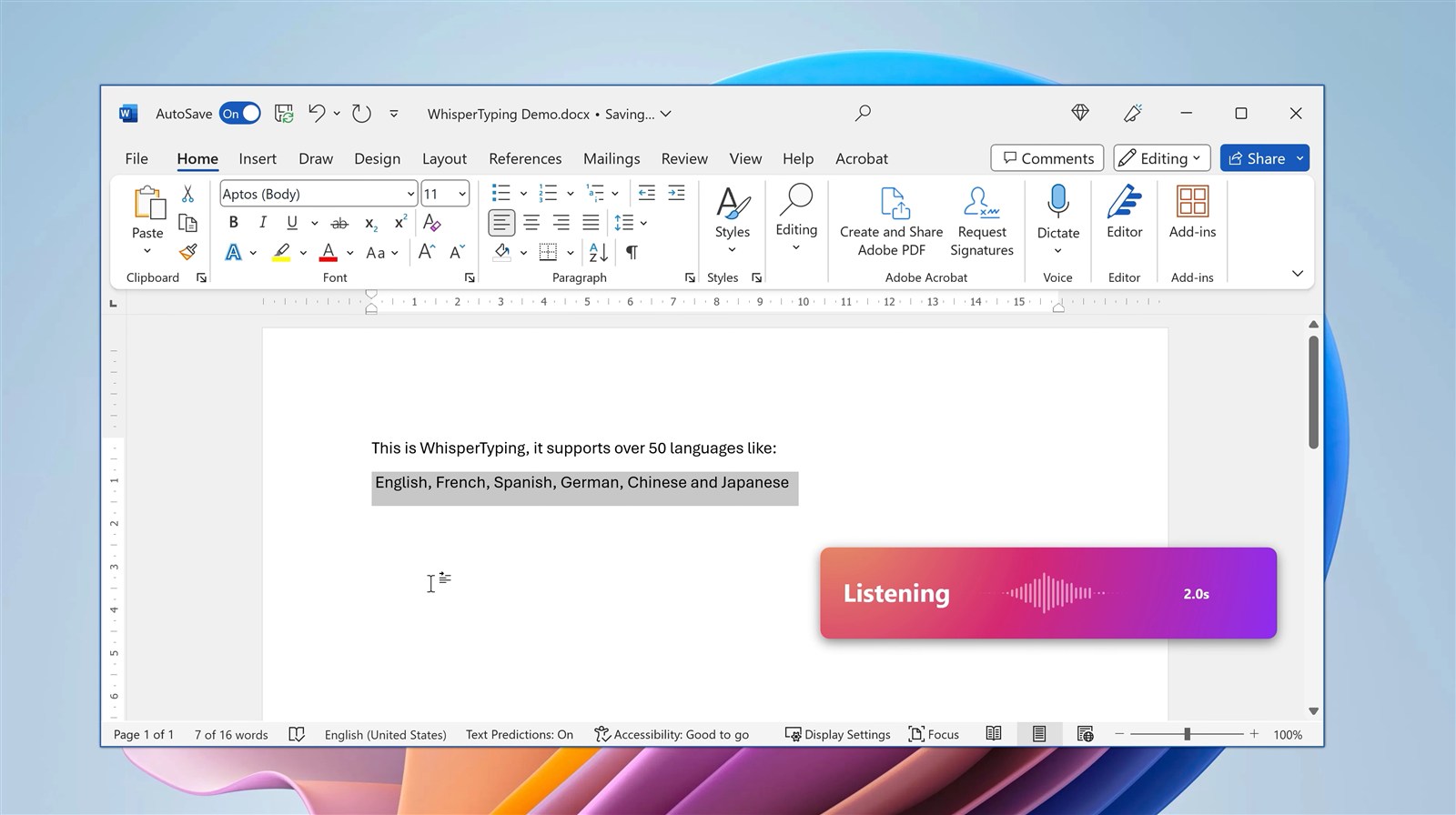
WhisperTyping is a native Windows app: light on memory, fast to activate, and tested in hundreds of applications including Word, Outlook, Chrome, Slack, browser-based EMRs, Cursor, Claude Code, VS Code, and Notion. It also works in places cross-platform tools struggle with: remote desktop, Citrix, virtual machines, Windows accessibility integrations.
On the Professional tier, phone as wireless microphone lets you use your phone as the dictation mic, even on computers that don't have one. Useful in remote desktop, Citrix, VDI, and locked-down enterprise machines where capturing audio on the host is unreliable.
Who Picks WhisperTyping
- Windows professionals who want a tool built for their platform, not ported to it
- Medical professionals who need zero-logging dictation for patient notes
- Lawyers and legal teams handling privileged information
- Writers and journalists who don't want AI rewriting their voice
- Software developers dictating into Cursor, Claude Code, and the terminal, where word-level accuracy matters
- Privacy-conscious knowledge workers who don't want transcripts sitting on a third-party cloud
- Citrix, VDI, and remote desktop users who need the phone-as-microphone workflow
When Aqua Voice Is the Better Pick
- You're on macOS
- You want AI rewriting on by default
- You use the iOS keyboard a lot for mobile dictation
- You like Aqua's Edit Mode for inline voice commands like "make this title case" or "remove filler words"
- Cloud-stored transcripts and opt-in privacy aren't a concern
Frequently Asked Questions
Is WhisperTyping really $5 a month for unlimited?
Yes. The Personal tier is $5 a month, billed annually, and includes unlimited transcription minutes, 50+ languages, custom vocabulary, text replacements, and automatic punctuation.
What does "zero logging" actually mean?
Audio is processed in memory and discarded. Transcripts are never written to disk on our servers. The only data we keep is what's needed for authentication, billing, and usage counts (counts, not content).
Does WhisperTyping work offline?
No. Like Aqua Voice, WhisperTyping uses cloud transcription for the best accuracy. The difference: our servers don't keep anything, and Screen OCR runs on your own computer.
How do I bring my Aqua Voice vocabulary across?
Easiest way: take a screenshot of your Aqua dictionary, drop it into ChatGPT, ask for a comma-separated list. Paste that into WhisperTyping's custom vocabulary. Takes about a minute.
Is there a free trial?
Yes. WhisperTyping has a permanent free tier with weekly top-ups of minutes. No credit card. For unlimited from the start, the Personal tier is $5 a month.
What about Mac users?
WhisperTyping is Windows-only. If you're on Mac, Aqua Voice is a reasonable pick. Most dictation users are on Windows, which is where we focus.
Try It
Installed and dictating in under five minutes. Start on the free plan, or jump straight to $5 a month for unlimited.